
Configuration
After installation, configure the plugin via Window > Preferences > AI Peon > Peon Configuration.
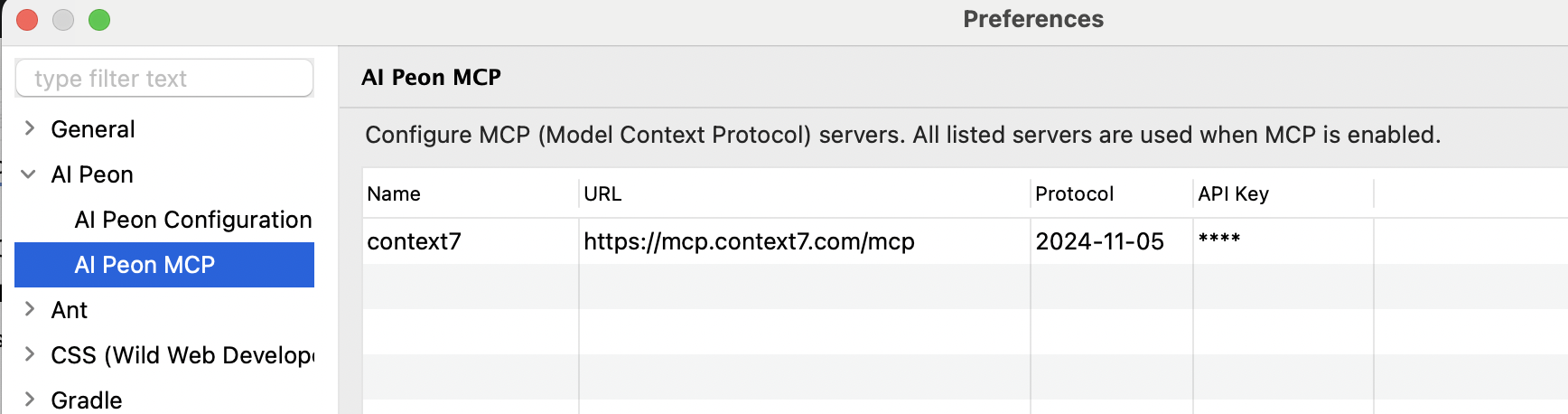
Provider Settings
Ollama
Run models locally e.g. mac.
| Setting | Value |
|---|---|
| Provider | OLLAMA |
| Model | llama3.2, codellama, qwen2.5-coder, mistral |
| Base URL | http://localhost:11434 |
LM Studio
Run models locally — e.g. for windows.
| Setting | Value |
|---|---|
| Provider | LM Studio / OpenAI HTTP 1.1 |
| Model | qwen/qwen3.5-9b |
| Base URL | http://localhost:1234/v1 |

OpenAI
| Setting | Value |
|---|---|
| Provider | OPEN_AI |
| Model | gpt-4o, gpt-4o-mini, o3-mini |
| Base URL | https://api.openai.com/v1 |
| API Key | Your OpenAI API key |
OpenAI-compatible APIs
Any OpenAI-compatible server (LM Studio, OpenRouter, LocalAI, vLLM, …) works by changing the Base URL. Set the API Key to a dummy value like none if the server does not require one.
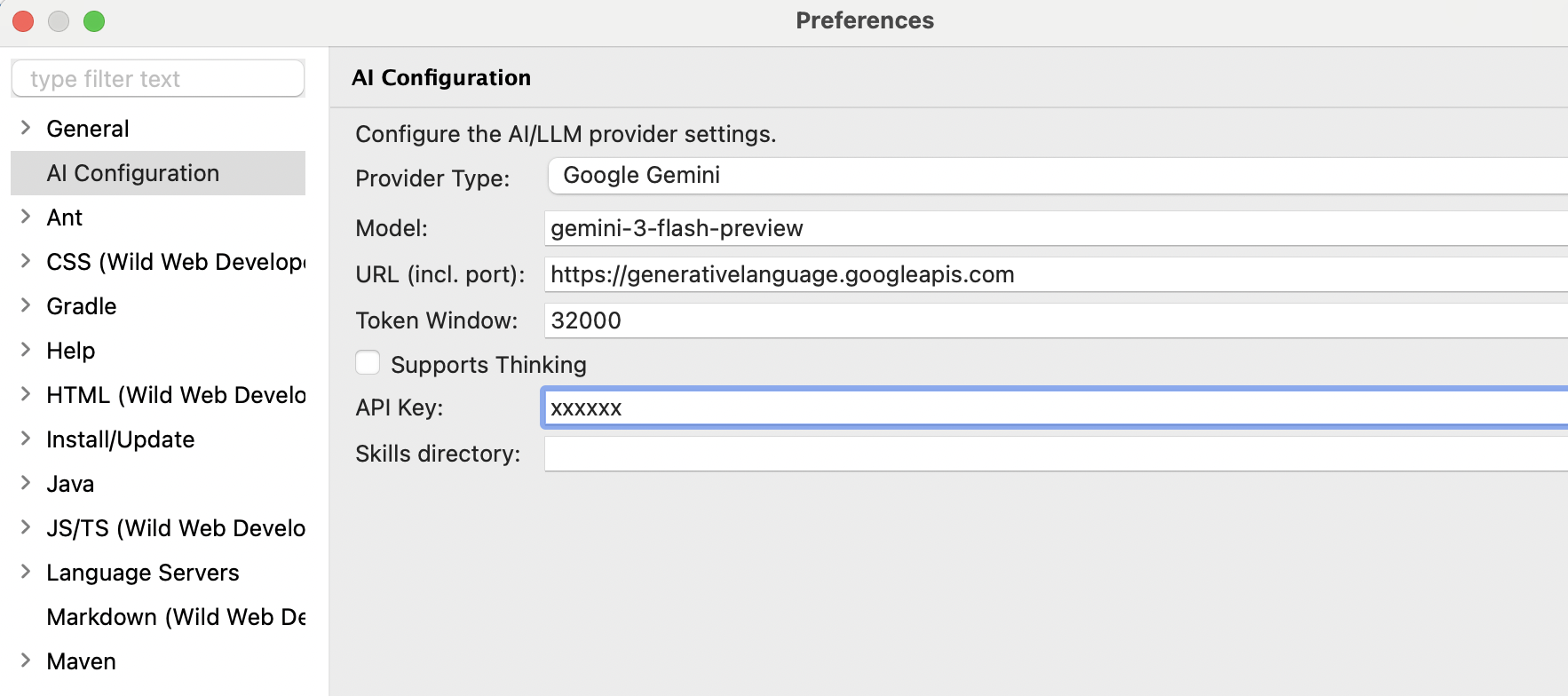
Google Gemini
| Setting | Value |
|---|---|
| Provider | GOOGLE_GEMINI |
| Model | gemini-2.0-flash, gemini-2.5-pro-preview-03-25 |
| Base URL | (leave empty) |
| API Key | Your Google AI Studio API key |
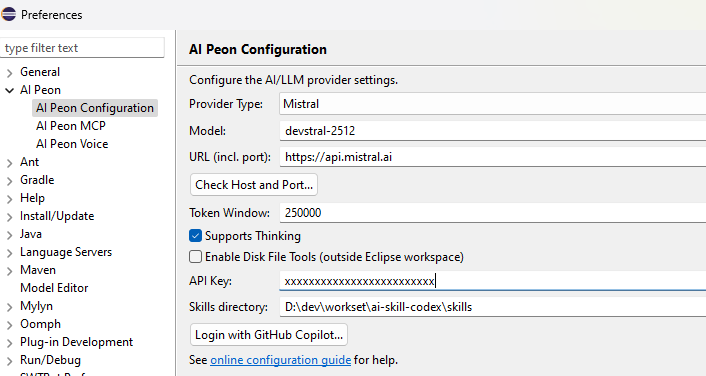
Mistral AI
| Setting | Value |
|---|---|
| Provider | MISTRAL |
| Model | mistral-large-latest, mistral-small-latest, devstral-latest |
| Base URL | (leave empty) — set https://api.mistral.ai in Voice preferences if using voice input |
| API Key | Your Mistral API key |
GitHub (Marketplace)
Using the GitHub Models marketplace with pay-per-use billing.
| Setting | Value |
|---|---|
| Provider | GitHub (PAT) |
| Model | Varies; use model picker to list available models |
| Base URL | https://models.inference.ai.azure.com (default) or custom endpoint |
| API Key | Your GitHub Personal Access Token (PAT) with models:read scope |
Authentication:
- Generate a GitHub PAT with
models:readscope - Paste the token in the API Key field
- Click "Check Host and Port..." to verify connectivity
Available models: Use the Model picker to list all marketplace models you have access to. Models are filtered to those supporting tool calling only.
GitHub Copilot (Subscription)
Access Claude Sonnet, Claude Opus, Claude Haiku, GPT-5, and more as a GitHub Copilot subscriber.
| Setting | Value |
|---|---|
| Provider | GitHub Copilot (subscription) |
| Model | Claude Sonnet, Claude Opus, Claude Haiku, GPT-4o, GPT-5-mini, etc. |
| Base URL | (leave empty for github.com; enter custom domain for GitHub Enterprise) |
| API Key | (leave empty; OAuth token obtained via login button) |
Authentication:
- Click Login with GitHub Copilot... button in the preferences
- Select GitHub deployment type (github.com or GitHub Enterprise)
- Complete the device flow authorization in your browser
- The plugin stores your OAuth token and auto-selects the
GITHUB_COPILOTprovider - Use the Model picker to list available Copilot models (Sonnet, Opus, etc.)
Requirements:
- Active GitHub Copilot subscription (Individual $10/month, Business, or Enterprise)
- Copilot access enabled on your GitHub account
Model availability: Models listed depend on:
- Your Copilot subscription tier
- Regional availability
- GitHub's current model catalog
Difference: Marketplace vs. Subscription
| Marketplace (PAT) | Copilot (OAuth) | |
|---|---|---|
| Product | GitHub Models marketplace | GitHub Copilot subscription |
| Auth method | Personal Access Token | OAuth Device Flow |
| Billing | Pay-per-use | Monthly subscription |
| Models | Public marketplace catalog | Copilot subscriber models (Claude, GPT-5) |
| Provider name | GITHUB_MODELS | GITHUB_COPILOT |
| Use case | One-off testing, marketplace exploration | Primary AI assistant with Copilot benefits |
Settings
Token Window
The Token Window setting controls how many tokens of conversation history are sent to the AI model with each request. In the preferences it is the Auto compact after: integer field, and it is stored in LlmConfig.autoCompactAfter.
| Setting | Value |
|---|---|
| UI Label | Auto compact after: |
| Preference Key | llm.tokenWindow (PREF_TOKEN_WINDOW) |
| Config Field | LlmConfig.autoCompactAfter |
| Default Value | 80000 tokens |
| Type | Integer |
| Editor Component | IntegerFieldEditor in AiConfigPreferenceView |
Important Distinction: Token Window vs Message Memory Buffer
| Component | Purpose | Limit | Configurable |
|---|---|---|---|
| Token Window | Max token window a model supports | ~256.000 (configurable) | Yes - via this setting |
| Max output tokens | Max amount of token a model may generate | 0 (none) | see advanced configuration |
Explanation: The token window limits what context is sent to the LLM for each request. As soon it is reached a auto compact is triggered. In the tool call chain the LLM will get a message to use the compact session tool if this limit is reached.
Important Considerations
Token counting includes both directions: The token window counts both user messages AND AI model responses in the conversation history.
Provider auto-truncation: If you set a value larger than your provider supports, they may:
- Automatically truncate older messages (silently)
- Reject the request with an error
- Return degraded responses
- Locally it will just crash your system
Check provider documentation: Before setting very high values, verify your specific model's maximum context window in the provider's documentation.
Testing recommended: After changing token window, test with a longer conversation to ensure the AI can reference earlier messages correctly.
Token estimation vs actual tokens: The value you set is an estimate; actual token counts vary by language and model encoding.
Thinking Support
The Model supports thinking checkbox declares whether the Dev/default model supports thinking/reasoning. The brain button in the chat toolbar saves the same support flag for whichever agent you have selected.
Thinking is resolved per request, so each agent decides on its own. With support enabled and no custom value set, Peon picks the right value for your provider and model via a built-in table. With support disabled and empty off-value, OpenAI-style providers omit reasoning while Ollama sends think:false. To take manual control — or to plan with one provider and implement with another — set explicit on/off strings per agent on the Advanced Configuration page. Search and Compact never think.
The separate Show and resend model thinking checkbox controls whether the model's own reasoning is shown and sent back on the next turn (needed by some LLMs like Qwen, Mistral, DeepSeek). It is independent of model support.
Testing the Connection
- Open the Peon AI chat view
- Type a test message like "Hello"
- If configured correctly, you should receive a response
Troubleshooting
If connection tests fail, verify:
- The server is running and accessible at the specified URL
- Firewall settings allow connections to the port
- For local servers (Ollama, LM Studio), ensure they're started before testing